

Resetting the administrator password in WHMCS
Ce contenu n’est pas encore disponible dans votre langue.
If you run WHMCS and forget or lose the administrator password, you can reset it to regain access to your account. This guide provides two methods to reset the password.
Method 1: Use the Password Reset Web Link
Section titled “Method 1: Use the Password Reset Web Link”- Go to the login URL for your WHMCS installation.
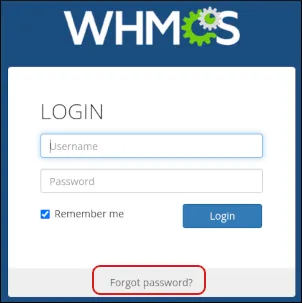
- On the login page, click Forgot password?
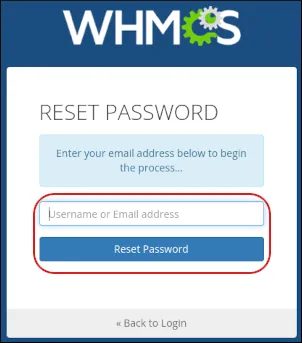
- In the Username or Email address field, type the administrator’s email address and click Reset Password.
- WHMCS will send a password reset email to the address you specified. Click the password reset link in the email and enter a new password.
Method 2: Reset the Password in the WHMCS Database
Section titled “Method 2: Reset the Password in the WHMCS Database”If the web link method is unavailable, you can reset the password directly in the database:
- Log in to cPanel.
- On the Tools page, in the Databases section, click phpMyAdmin.

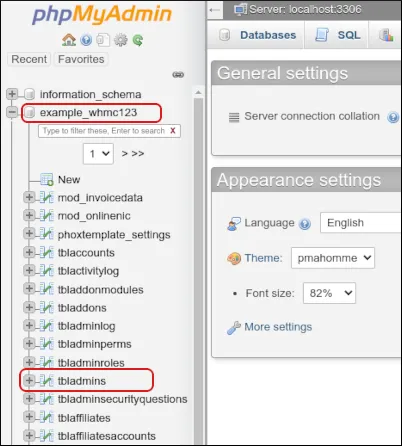
- In phpMyAdmin, select your WHMCS database from the left-hand pane.
- Click the tbladmins table.
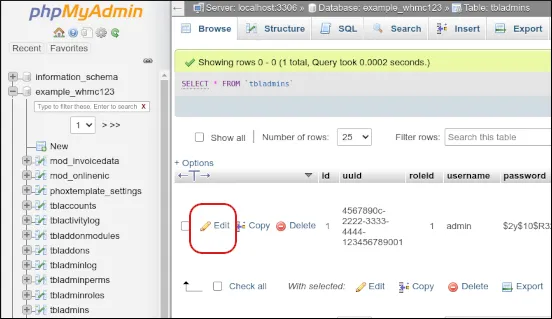
- Locate the row for the administrator you want to reset and click Edit.
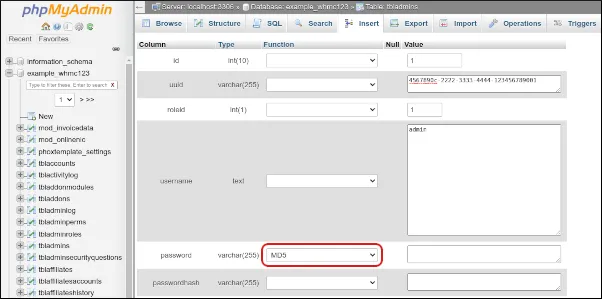
- In the password row, select MD5 from the Function list box.
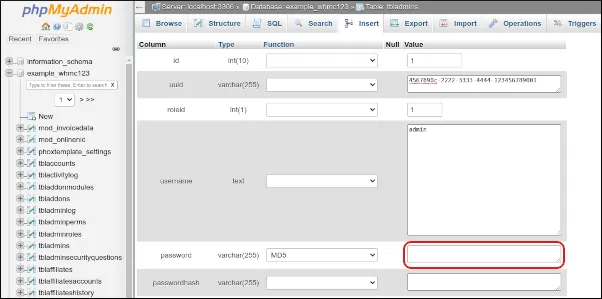
- In the Value field for the password, delete the existing text and type the new password.
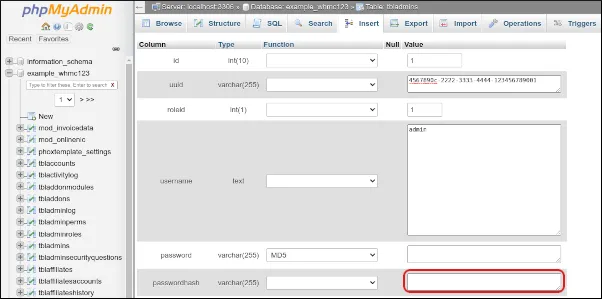
- In the passwordhash row, delete any existing text in the Value field.
- Scroll to the bottom and click Go to save the changes.
You can now log in to WHMCS as the administrator using the new password.
Cette page vous a-t-elle aidé ?
Merci pour votre retour.