

Managing your website in the hosting cpanel
The ruachost Client Areaprovides a single, convenient interface to manage your website, email, applications, and hosting resources. From here, you can install apps, manage files, configure databases, set up email accounts, and more. This guide walks you through the key areas of website management.
Logging In
Section titled “Logging In”To access your website management tools:
- Log in to your ruachost.com Client Area.
- From the dashboard, select your hosting plan.
- Login to the control panel where all website management tools are available.
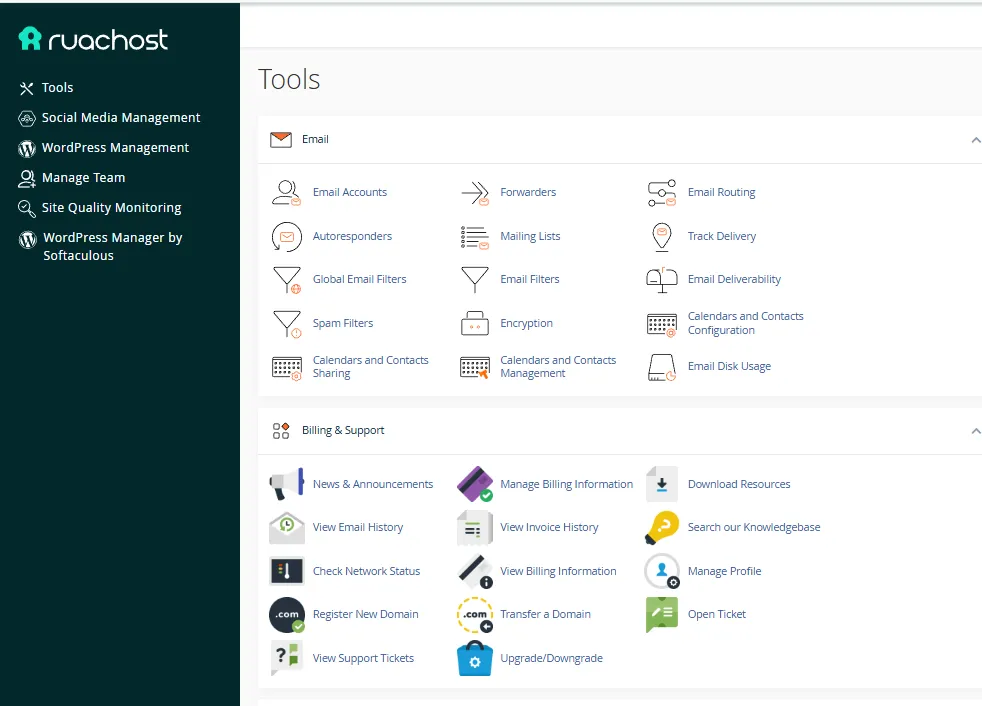
Website Management Tools
Section titled “Website Management Tools”The hosting panel is organized into categories, making it easy to find the tools you need.
1. Email
Section titled “1. Email”- Create and manage email accounts
- Set up forwarders and autoresponders
- Configure spam filters and email routing
- Monitor email disk usage
2. Files
Section titled “2. Files”- Use File Manager to upload, edit, and organize files
- Create backups and restore them when needed
- Manage disk usage and directory privacy
- Access advanced tools like Git™ version control
3. Billing & Support
Section titled “3. Billing & Support”- View invoices and billing history
- Open and track support tickets
- Access knowledge base resources
- Register or transfer domains
Software & Applications
Section titled “Software & Applications”The Software section allows you to install and manage applications for your site.
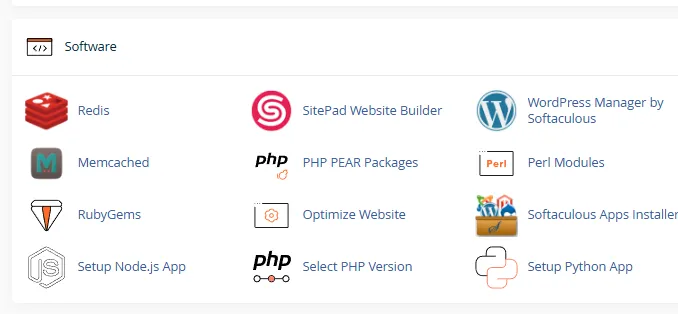
Here you can:
- Install WordPress or other apps via Softaculous
- Use SitePad Website Builder to design your site
- Manage caching tools like Redis and Memcached
- Optimize your website performance
Advanced Tools
Section titled “Advanced Tools”For developers and advanced users, the Advanced section provides:
- Cron Jobs – schedule automated tasks
- Track DNS – troubleshoot DNS issues
- Error Pages – customize error messages
- Apache Handlers & MIME Types – configure server behavior
Preferences
Section titled “Preferences”The Preferences section lets you personalize your hosting environment:
- Update account preferences
- Change password and security settings
- Set your preferred language
- Manage contact information and team access